Owners choose software their teams will actually use by treating adoption as a selection criterion, not a training problem to solve after go-live. That means defining requirements from real workflows, testing vendors against your own data, evaluating the field experience on its own terms, and planning implementation before the contract is signed.
When selection focuses on features and the rollout focuses on logins, the result is a PMIS that’s technically in place while cost engineers still forecast in Excel and field teams log updates on paper because the system “takes too long.” Projectmates has been in this market since 2000, and we’ve seen that pattern play out across public agencies, universities, healthcare systems, and large enterprises.
It doesn’t have to work that way. This article walks through a practical framework for choosing construction management software that your project managers, field inspectors, and external contractors will rely on as the single source of truth for your capital program.
What separates software that gets adopted from software that gets abandoned?
Breadth of use. Owners who rely on their PMIS across many business processes get measurably better outcomes than Owners who use it for one or two tasks.
The Dodge Construction Network and Projectmates SmartMarket Brief found that Owners using a PMIS across five or more key business processes (portfolio planning, cost management, contract management, document management, bid management, reporting, scheduling, and closeout) reported stronger results than limited users:
- 74% reported better-informed project decisions, compared to 39% of limited users.
- 61% saw improved cost predictability, compared to 35%.
- 67% saw improved design solution quality, compared to 31%.
Those gaps say something important about adoption. A platform that only a few people touch for a few tasks won’t produce the data confidence leadership needs. Adoption isn’t a post-implementation checkbox. It’s how the software delivers its value, so the selection process has to account for it from the start.

Why does software selection so often miss the adoption question?
Because a typical selection process evaluates the platform at every step and the people who’ll use it at none of them. Requirements, RFP, scored demos, pricing, contract: each step is about the software.
The cost of getting it wrong is high. Even on the contractor side, the Dedale 2026 Construction Management Software Survey found that employee resistance ranks alongside integration challenges and implementation costs as a top barrier at every company size. The same survey puts the average replacement cycle at about four years. A selection that misses on adoption is one you’ll live with for years before you get another chance to fix it.
The Owner’s situation adds another layer. You aren’t just selecting software for your own team. You’re selecting a platform that project managers, cost engineers, field inspectors, architects, and contractors all need to work inside. A demo that impresses your IT director may confuse your field team. A workflow that makes sense for a single building can collapse under a 50-project capital program with multiple funding sources.
How should Owners define requirements before looking at any vendor?
Start with your operating model, not a vendor’s feature list. The most productive PMIS evaluations begin before a single vendor is contacted.
ISO 19650-1:2018 defines a common data environment as the single source of information for collecting, managing, and sharing a project team’s documents, models, and data. That concept should anchor your requirements. Before comparing products, answer these questions for your own program:
- Who owns the project record?
- Which information must be controlled, and which can be open?
- How are stage gates governed?
- How will cost, schedule, change, and risk be compared across the portfolio?
For capital program Owners, the requirements that matter most rarely show up in a standard RFP template. You need the system to handle multi-year capital budgets with multiple funding sources. You need approval workflows that reflect your actual policy and statutory requirements, not a vendor’s default routing. And you need portfolio-level reporting that rolls up cost and schedule data across dozens or hundreds of concurrent projects without manual consolidation.
Collect those answers from the people who do the work. Interview your project managers, cost engineers, and facilities directors. Ask your contractors what makes a system hard to work inside. The requirements document should reflect actual workflows, not aspirational ones.
What should Owners look for during vendor evaluation that predicts real-world adoption?
Evidence of how the platform handles your complexity, not the demo’s golden path. Every platform looks good with clean data, simple approvals, and a single project. Your capital program has none of those things.
Three evaluation steps help you see past the demo:
- Test the platform against your own data and workflows. Give each vendor a real project’s documents, a real approval chain, and a real cost breakdown structure, then watch how the system handles the complexity you deal with every day. If a vendor can’t configure a proof of concept with your actual data during the evaluation, that tells you what implementation will look like.
- Evaluate the field experience separately from the office experience. Field teams work with spotty connectivity, gloved hands, and little time between tasks. Even contractors, whose tools are built around the field, aren’t satisfied: the BuiltWorlds 2025 Field Solutions Report found that none rated their overall field tech stack “excellent,” and a growing share rated it poor. Software that needs multiple taps and stable internet to log a field report won’t get used by the people who generate your most time-sensitive data.
- Talk to Owners running programs like yours. Ask the vendor’s existing customers how long it took before their teams stopped using side systems, what the vendor did when a workflow didn’t fit, and whether they can produce a consolidated portfolio report without exporting to Excel. Those answers reveal more than any feature checklist.

How does platform architecture affect whether teams adopt it or work around it?
It comes down to whether the platform was built for Owners or adapted from a tool designed for contractors. Contractors need strong field coordination, RFI tracking, and drawing management project by project. Owners need all of that plus portfolio-level cost clarity, capital budget planning across fiscal years, funding allocation tracking, and approvals that span internal departments and outside stakeholders. (For a deeper look, see Owner vs. Contractor Construction Software.)
When an Owner stretches a contractor-focused platform to cover capital program management, the gaps show up in budget-to-actual tracking, consolidated change order reporting, and audit trails that satisfy public accountability requirements. Teams fill those gaps with spreadsheets. Once the spreadsheet becomes the trusted source, the PMIS turns into a data entry obligation. (More on that in Why Capital Programs Outgrow Spreadsheets.)
When the platform fits, the dynamic flips. At Dave & Buster’s, the PMIS became the source finance relies on. “Accounting trusts the data in the software so much that they won’t accept anything that doesn’t come through Projectmates,” said Brian M., VP of Construction.
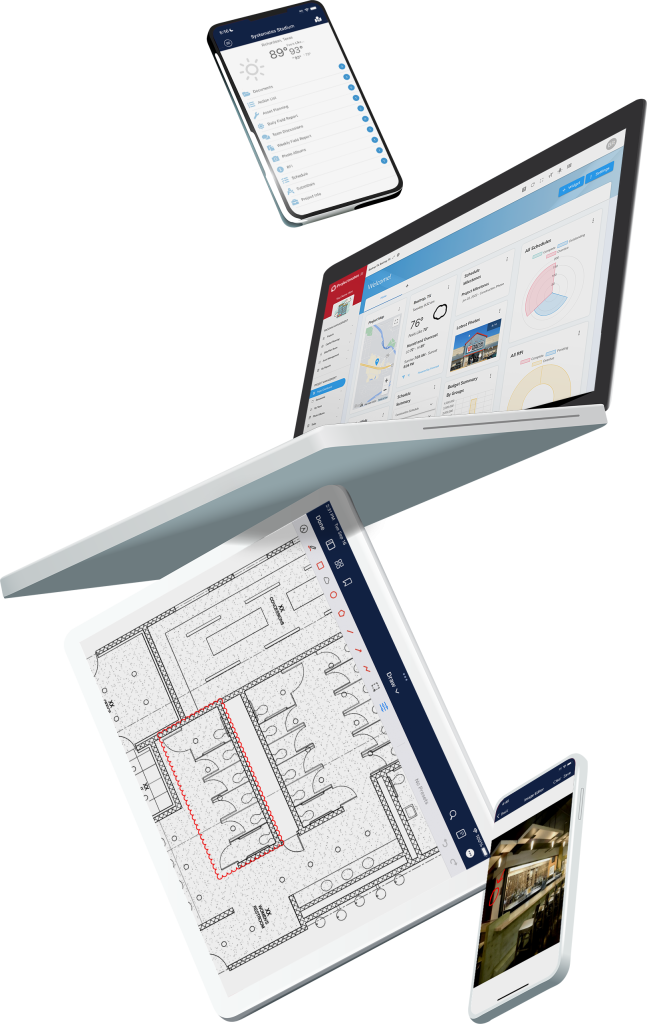
Projectmates was built for Owner-side capital programs from the start. Its 40-plus configurable modules cover the full project lifecycle, from capital planning and bid management through construction and closeout, so your approval chains, funding structures, and reporting hierarchies are native to the system.
What role does implementation play in long-term adoption?
A decisive one. Implementation is where the software’s capability meets your program’s reality, and a platform that checks every requirements box can still fail if that gap isn’t bridged.
The Dodge/Projectmates SmartMarket Brief found that Owners with a strategic approach to PMIS implementation reported much higher satisfaction. Among Owners with centralized PMIS expertise (competent users in each division), 78% reported high satisfaction with document management, compared to 21% of Owners with no strategic approach. For schedule management, the gap was 75% versus 24%.
T-Mobile saw this firsthand. “There was so much flexibility with the system, but being able to identify different milestones, customize, and tailor it to our needs, that was basically done by three individuals on my team,” said Brian Kautzsch, Director of Critical Facilities Engineering and Implementation. A small group of power users who know both the program and the platform can configure it for everyone else.
Three implementation decisions shape whether your team trusts the system:
- Migrate relationships, not just values. Schedules, cost baselines, contracts, and historical actuals carry logic. A schedule is a network of dependencies, and a cost sheet ties commitments to budgets to forecasts. Migrating values without rebuilding those relationships produces a system that looks populated but generates unreliable outputs. Map your cost breakdown structure and schedule logic in the new platform before moving a single record.
- Configure around how your program runs. A public transit authority handles change orders differently than a school district, and a healthcare system phases work around patient care. Your implementation team needs to understand project controls, not just the software. Projectmates assigns dedicated implementation specialists who run discovery workshops with your subject matter experts and configure the platform to your program, not a default template.
- Plan training as a sequence, not an event. A single session two weeks before go-live isn’t enough. The Owners who report the highest value from their PMIS follow a structured plan: power users first, then role-based training for broader teams, then ongoing support as new projects and people come online.

How do you measure whether your team is adopting the platform or just logging in?
Look at what people do in the system, not how often they log in. An organization can have 200 active users and still run its capital program on spreadsheets if those users enter data because they have to and do their real analysis somewhere else.
Harry Brittan, Director of Facilities Administration at Tarrant County College, described the difference after his team switched platforms: “I rarely logged into the old system because it was so difficult to navigate. With Projectmates, I’m in the system every day because I know I can find exactly what I need.” That’s the signal worth tracking. People come back to a system because it answers their questions, not because a policy requires them to.
Meaningful adoption shows up in daily operations. Project managers pull status reports straight from the PMIS instead of compiling them by hand. Cost engineers run forecasts against actuals inside the system. Leadership makes portfolio decisions from PMIS dashboards, not from spreadsheets reconciled for board meetings.
Track these signals during the first six months after go-live:
- How many projects have complete data across all active modules?
- How often are users opening reports versus exporting raw data?
- Are approvals running through the system, or happening over email with the system updated after the fact?
When workarounds form, treat them as feedback on configuration, not on user discipline. If a project manager exports data to Excel to build a report the PMIS should generate, configure that report in the platform rather than issuing a policy memo. Kirk Sherry, Contract Specialist at the New Jersey Air National Guard, has seen that loop work in practice: “If I find something that didn’t work well on one project, maybe it was a process flow or something, the support team has always helped me correct it.” Closing those gaps is how adoption deepens over time.
What separates a vendor from a long-term technology partner?
A vendor sells you a license and fixes things when they break. A partner understands your program’s operating model, responds to feature requests that come from real project workflows, and improves the platform based on what Owners need.
That difference matters because capital programs span years, sometimes decades. Your software will need to keep up with new project types, new regulatory requirements, new team members, and changes in how you report to stakeholders and funding bodies.
Projectmates has worked this way since 2000. Features get built because Owners asked for them, not because a roadmap predicted demand. With more than 100,000 projects and 55,000 users across public agencies, school districts, universities, healthcare systems, and large enterprises, the platform reflects decades of real capital program operations. SOC 2 Type II compliance, with annual audits, provides the security foundation institutional Owners require.
The software you choose will shape how your capital program runs for years. Make that decision based on how your teams work, not on what the platform can do in a demo. Define requirements from your operating model, evaluate against your real data, give the field experience equal weight, invest in implementation, and choose a partner with a track record of building for Owners first.
If you’re evaluating construction management software for a capital program, we’re glad to walk through that process with your specific requirements. Schedule a personalized demo to see how Projectmates fits your program.
Frequently Asked Questions (FAQ)
Usage means people log in and enter data. Adoption means they rely on the system to make decisions: pulling reports, running forecasts, and routing approvals inside the platform instead of in spreadsheets and email.
Include the people who’ll work in it every day: project managers, cost engineers, facilities directors, field inspectors, and finance. Get input from your contractors and design partners too, since they’ll be working inside the platform alongside your team.
The Dedale 2026 Construction Management Software Survey puts the average replacement cycle at about four years. That makes adoption a critical part of the selection decision, since a poor fit is hard to undo quickly.
It can work for project-level coordination, but gaps tend to appear in portfolio cost tracking, multi-year capital budgeting, funding allocation, and audit trails. Owners often end up filling those gaps with spreadsheets.
Right away. Track data completeness, report usage versus raw exports, and whether approvals run through the system during the first six months, when workarounds are easiest to spot and fix.