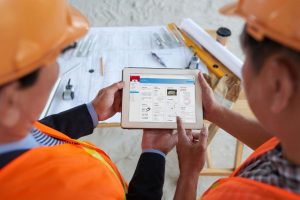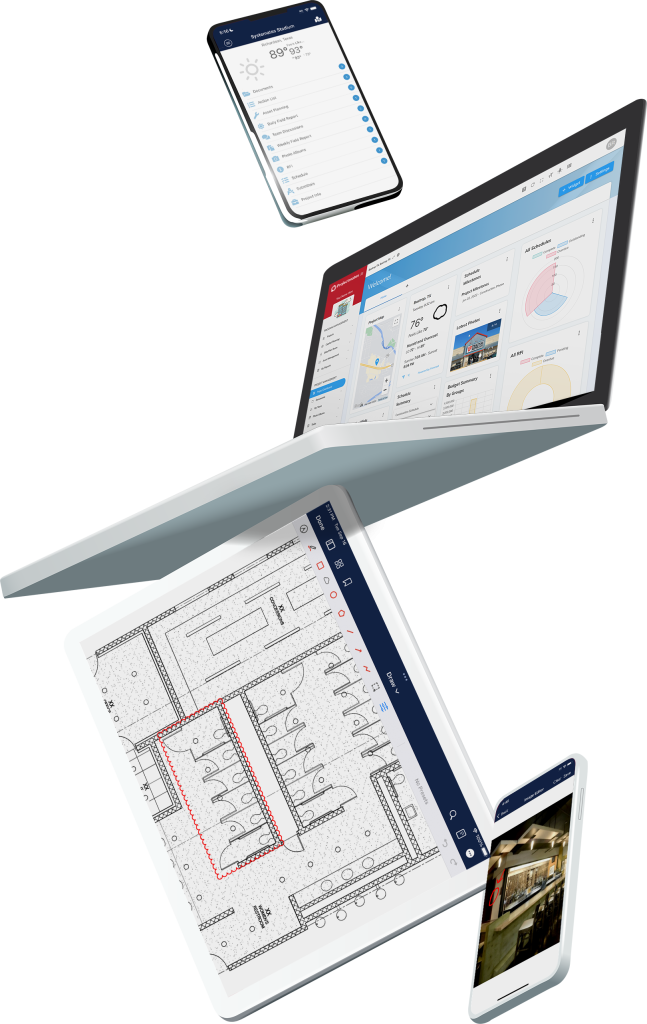
With labor in short supply and deadlines tighter than ever, there’s no time for delays, duplicated work, or waiting on approvals. The right construction software, especially with mobile tools, can streamline everyone’s day and keep your construction program moving forward.
Whether you’re overseeing dozens of capital improvement projects or a few high-stakes jobs, a strong mobile app helps ensure your team stays aligned, informed, and productive, no matter where they are.
Real-Time Access Keeps Everyone on the Same Page
When contractors, project managers, and Owners can access the same data in real time, work gets done faster and with fewer mistakes.
A good mobile app for construction project management allows users to:
Pull up the latest plans, photos, and project documentation
Submit RFIs, submittals, or inspection reports directly from the field
See approvals and status changes the moment they happen
No more calling the office to check on an update or waiting for someone to email over the latest version. With real-time access, teams can make faster decisions and reduce costly miscommunication.
Apps should also help capture important data in the field—photos, videos, annotations, and voice memos—with automatic timestamps and geotags. These tools help document construction progress clearly and support effective construction document control.

Offline Access Matters More Than You Think
Not every jobsite has reliable service. A mobile app that only works online can bring work to a halt when crews are out of range.
A construction app with offline capabilities allows teams to complete safety forms, fill out inspections, capture photos, and log work—even when there’s no signal. Once reconnected, everything syncs automatically. That flexibility is essential for consistent, uninterrupted field performance.
Intuitive Design Drives Stronger Adoption

Even the most feature-rich mobile app won’t help if your team doesn’t use it.
That’s why simplicity is key. A well-designed app should mirror how construction teams actually work—clear task lists, fast access to relevant tools, and a touch-friendly interface that doesn’t slow people down.
Look for solutions that work across both Apple and Android devices and support role-based access, so users see only what they need. That not only protects sensitive information, but also keeps screens clean and workflows focused.
Faster Approvals, Fewer Delays
A mobile app streamlines workflows that often slow projects down.
For example:
A superintendent identifies a site issue and snaps a photo
They submit a change request or RFI from the field, with full context
The project manager gets a notification and reviews it the same day
That kind of turnaround keeps work moving. The same applies to Change Orders (COs) and submittals—when your mobile app supports these workflows directly, you eliminate the delay of manual emails or chasing approvals after hours.
Apps that let field staff submit these items in real time improve responsiveness, accountability, and project velocity.
Avoid These Common Mobile App Pitfalls
When evaluating mobile construction apps, avoid these missteps:
Using a generic business app: Construction has unique workflows. Choose a platform purpose-built for construction management.
Leaving out the field team: Office staff often evaluate tools, but the field is where adoption happens. Get their input early.
Focusing only on features: More isn’t better. Look for apps that balance capability with usability.
What Are the Benefits of Using a Mobile App for Construction Management?
The right construction mobile app doesn’t just digitize paperwork. It empowers better performance across your whole team.
When labor is tight and expectations are high, your mobile tools need to support:
Real-time syncing between field and office
Offline access for jobsites with weak connectivity
Fast, intuitive design that doesn’t require a manual
In-field documentation, including photos, videos, voice memos, and inspections
Mobile workflows for RFIs, COs, submittals, approvals, and reports
With the right mobile solution, field teams don’t waste time chasing updates or redoing work—they stay focused, aligned, and productive.
That’s the power of a connected construction workflow. No more bottlenecks.

Frequently Asked Questions (FAQs)
A good construction mobile app should offer offline access, real-time data syncing, intuitive task management, photo and document capture, and role-based permissions. It should also integrate with your broader construction management system.
Many jobsites have poor or inconsistent connectivity. Offline access ensures field teams can still capture critical information, complete forms, and track progress without interruption. Once reconnected, the app syncs data automatically.
Mobile apps give field and office teams access to the same project data at the same time—reducing delays, rework, and miscommunication. With mobile approvals, task tracking, and real-time updates, everyone stays on the same page.
Yes. Many modern construction project management apps allow teams to create, submit, and track RFIs (Requests for Information), submittals, and Change Orders (COs) directly from the field. This speeds up approval cycles, keeps documentation centralized, and reduces delays caused by disconnected or manual processes. When field teams can initiate these workflows from their mobile devices—and stakeholders can review them in real time—projects stay on track and better aligned.