Construction Project Management Scheduling Software
Proactive planning, milestone tracking, and real-time visibility help you spot potential delays early, keeping everyone aligned for on-time project delivery.
Construction Project Management Scheduling Software
Proactive planning, milestone tracking, and real-time visibility help you spot potential delays early, keeping everyone aligned for on-time project delivery.
Managing your construction project schedule is one of the most difficult tasks in the construction process – but it doesn’t have to be. When you use Projectmates construction scheduling software, building task-based timelines is easy.
Our platform gives you the ability to:
• Set task predecessors
• Assign responsibilities
• Set automated reminders
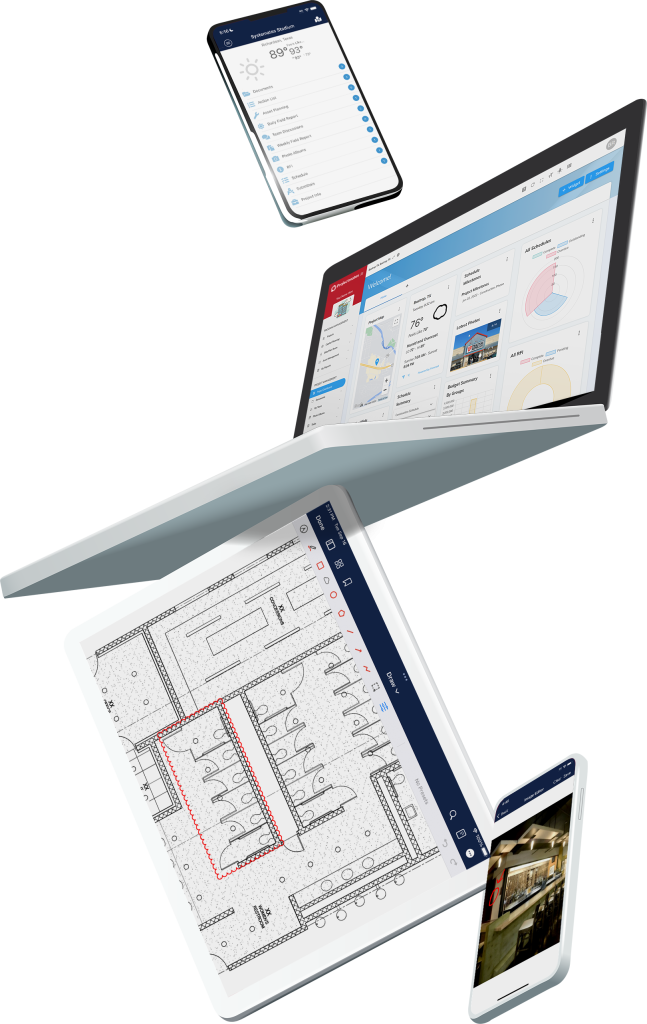
Using Projectmates for project timeline management means your schedule will almost start to manage itself. Everyone on your team will be able to access their specific schedule from anywhere on any device thanks to mobile schedule management on our app. Whether you’re in the office or on the go, access to your schedule is never far away.
Advanced Scheduling Functionality
Looking for a construction project schedule program that does it all? Projectmates’ high-end construction project scheduling functionality puts you back in control of your project timeline. With it, you can:
Compare baseline tasks
Track scheduling variances in real-time
Gain visual timeline analysis
Using this construction management software means you can compare how long you thought the work would take versus how long it actually took. Projectmates will clearly show you if your project is on schedule or if it’s behind, and where it’s slipping. By providing you with schedule baseline comparison, you can see at a glance where you’re succeeding and where you need to catch-up.
Seamless Software Compatibility
Bulk import from other construction schedule programs or create schedules from scratch. If your team uses Microsoft Project or Primavera, they can import data into Projectmates’ project schedule program. In fact, you can import schedules from 10 scheduling formats. You can then export all tasks in Microsoft Excel in a single click. The Primavera and MS Project compatibility found in Projectmates’ construction project tracking helps you import and export schedules seamlessly to maintain continuity in your workflow.
Over 2 MillionSchedule Tasks Are Being Tracked in Projectmates.
Avoid Delays with Actionable Scheduling
Easily manage construction schedules your way with reliable task lists, configurable calendar views, and interactive Gantt charts. With Projectmates providing advanced scheduling techniques in construction, you can filter your schedule with pre-set or custom date ranges to track upcoming work for better task prioritization. The built-in critical path Gantt chart for scheduling helps you monitor key project deadlines and stay aligned with primary dates that impact delivery.
Unlike static construction planning tools, Projectmates connects your schedule to real-time action items like RFIs, change orders, and approvals, giving every team member clear visibility into what’s holding up progress and tools to fix it fast. This collaboration helps you reduce bottlenecks because you won’t be waiting for team members to bring themselves up to speed.
Automate Task Relationships and Progress Tracking
Save time by creating predecessor relationships between schedule tasks like ‘Finish-to-Start,’ ‘Start-to-Start,’ or ‘Parent-Child.’ These task dependencies naturally update as your team makes progress. Projectmates’ construction project schedule will show you the percent completed for task groups as well as the whole project. When it comes time to close out, you can create a custom action list. Linking action list items to a schedule task will automatically update their completion status.
Stay on Track with Smart Reminders
Keep your team engaged when they fall behind. If someone is late on a task, an automatic email reminder provides them with a quick nudge. TheProjectmates app will also send push notifications to their mobile device to keep them on task and your project moving forward. This feature helps build stronger accountability and enhances your team’s overall productivity.
Core Scheduling Features
Schedule and Compatibility
Comprehensive schedule management
Compatible with other construction labor management software
Custom Gannt, calendar, and task views
Filter 2-, 3-, and 4-week look-ahead charts
Create and compare schedule baselines
Link with predecessors (FS, SS, FF, SF)
Automation and Control
Assign items to others with auto-notifications and reminders
Easily mark completion from mobile app on the go
Controlled access for granular role rights
Add lag dates to predecessors
Quickly email real-time scheduling updates to your team
Link schedule items to custom checklists
Projectmates Reviews:
“Projectmates is a tool to make us more efficient and effective as project managers. It reduces the overall schedule by better coordination and task tracking and provides clarity, transparency, and accountability to our build program. We have removed hand-crafted reports to gain efficiencies and free our staff to build more stores.”
John J.
Sr. Manager of Real Estate & Engineering, Murphy USA
Deliver Every Project on Time with Projectmates
Projectmatesgives you and your team greater control and visibility into your scheduling than ever before. With proactive scheduling enabled by our platform, you can reduce costly delays and keep your work on track. Reach out to us today to learn more and schedule a demo.