Construction Drawing Software for Connected Project Teams
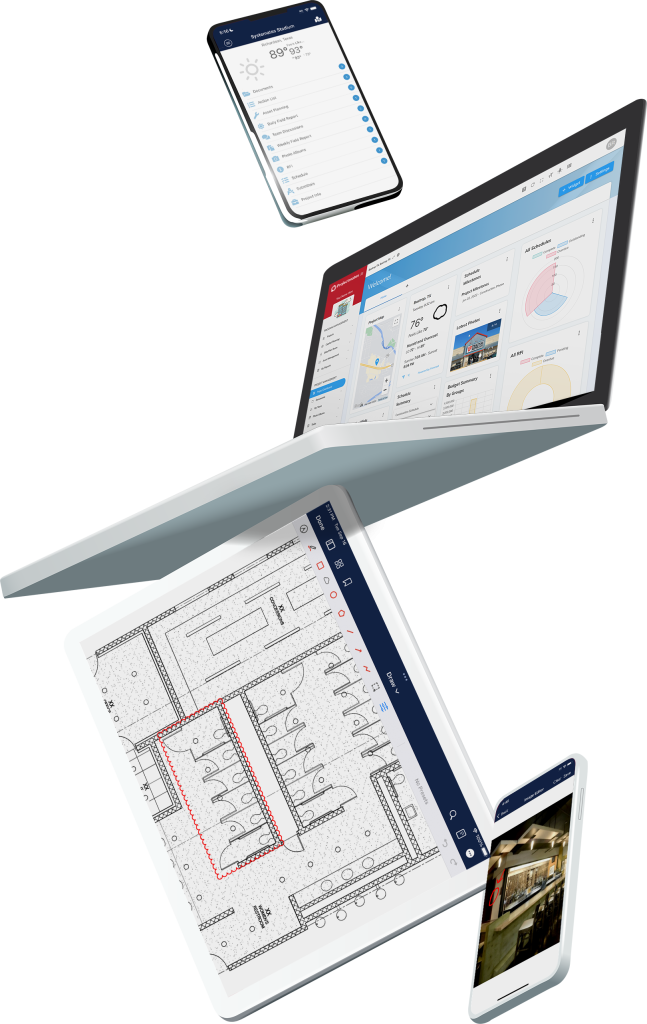
Projectmates software transforms static construction drawings into connected project records that support workflows, field activity, and AI-powered project management.
Projectmates’ construction drawing management softwareuses AI to accelerate intake of drawing information, with less manual work. You’ll also have the opportunity to review and validate the information before committing it to record.
Markups and Connected Workflow Actions
Connected construction workflows for RFIs, DFR, and change orders in our construction markup softwareimprove accountability and follow-through. Our platform enhances collaboration and execution across your project portfolio.
Full Audit Trail and Drawing Accountability
Projectmatesgives you full traceability for updates, comments, and linked actions in your drawings. This audit trail for drawings improves owner oversight and team coordination.
Manage High Drawing Volume with Less Friction
The Drawings tool is perfect for large portfolios and complex capital programs because it offers search and filtering features with uploading flexibility and centralized access.
Smarter Drawing Management Across the Project Lifecycle
Projectmates’ Drawings construction document management tool seamlessly connects with other areas of the Projectmates platform, creating a unified environment for construction project management. Artificial intelligence reduces manual data entry for faster drawing management and interconnected tools empower your team to link drawings to RFIs, daily field reports, and change orders directly from any drawing.
This is all on top of the robust markup capabilities that have made our online document editor a hit. Whether you’re in the field or the office, the Drawings tool enhances accuracy, reduces rework, and keeps projects moving forward smoothly.
Reduce Manual Work with Faster Drawing Intake
New artificial intelligence tools drastically cut down on manual data entry. Automatically extract essential details for every drawing. This not only saves you time but also allows you to focus on higher-value tasks, improving your overall productivity. You maintain full control to review and validate extracted information before committing it to the system.
Keep Teams Working from Current Drawings
Keep every team member on the same page with a solution that ensures the latest drawings and revisions are always available, even in the field with the mobile app. No more outdated plans or costly errors—just streamlined access to what matters most. Mark up drawings, add comments, and link drawings directly to RFIs, daily field reports, or change orders, making it easier than ever to track issues and maintain accountability.
Drawing Revision Tracking and Version Visibility
Unlike traditional systems that bury past revisions, the Drawings tool highlights current and historical versions, offering full transparency for stakeholders. Legacy drawing comparison processes often cause missed changes that lead to rework, delays, and budget overruns. The Drawings tool makes sure you can compare every movement on every project, big or small.
Key Features of the Drawing Tool
Centralized access to all project drawings, seamlessly connected within Projectmates workflows
Instantly access the latest drawing revisions with full version history and comparison tools
Upload drawings with drag-and-drop simplicity or manual input options
AI drawing data extraction of critical details, minimizing manual data entry and reducing errors
Real-time markups, annotations, and measurement tools for better teamwork
Add links to RFIs, daily field reports, or change orders directly from drawings
Intuitive filtering and search tools for quick access to critical information
Secure, role-specific permissions to keep your team aligned and efficient
Projectmates Reviews:
“The ‘My Reports’ module is a customizable reporting tool that is the perfect way to keep the management team informed of executive level reports on a weekly basis. Projectmates has exceeded the expectations of my clients on this and numerous projects over the years.”
James C.
CEO, DPPM Project Management
Explore Construction Drawing Software Built for Better Oversight
The AI-powered Drawings tool in the Projectmatescapital program management software platform provide the connectivity, visibility, and drawing version control needed to keep your projects on-track. Owners, developers, and complex capital programs depend on our solutions to keep their teams on the same page. To learn more about Projectmates’ capabilities, reach out today to schedule a demo.