Effectively managing your construction project while in the field is crucial for ensuring progress and success. You can’t always be tied to your computer for checking or updating project details or communicating with your team about changes. With the right project management software, you can manage your construction project in real-time while in the field. Here are some key benefits to consider:
Access to Your Work
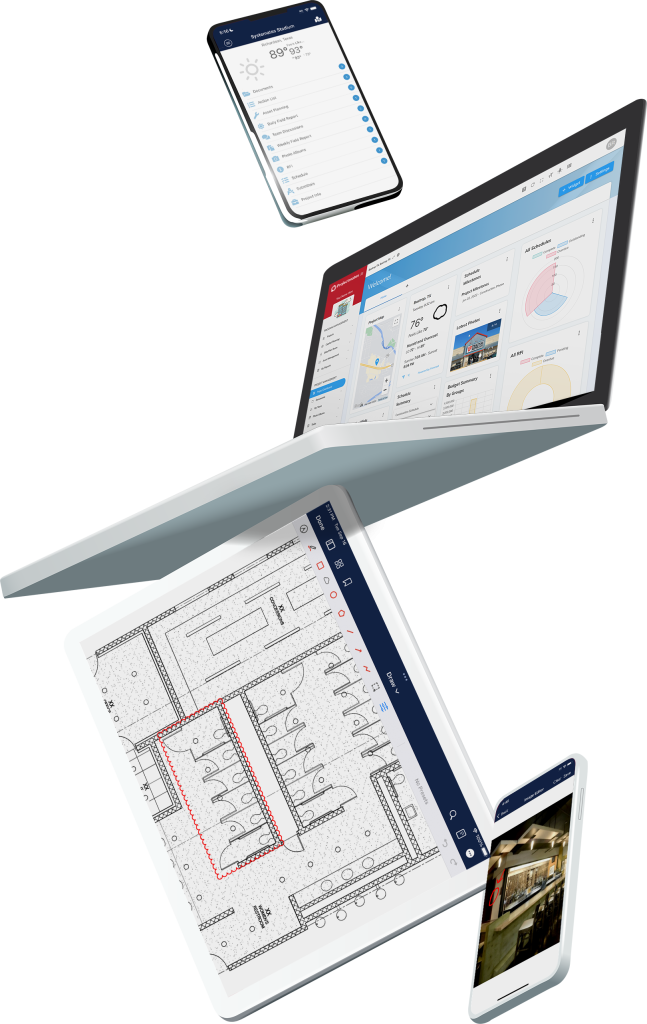
Knowing what you need to accomplish is essential — and the ability to view and complete these tasks from wherever you are is vital for keeping projects on schedule. In the Projectmates mobile app, you can access your responsibilities through the My Work page. On this page, you can respond to RFIs, complete schedule items, and even approve invoices, all from your mobile device.
Submit RFIs and Submittals
From the field, you or your team members can submit RFIs as needed. You can even include conditions and photos. The automatic push notifications in the Projectmates mobile app let you know right away when submittals and RFIs are created. And from the app, you can easily route and close submittals and RFIs and your contractor will be notified immediately.
Daily Field Reports and Site Visits
Stay on top of your project’s day-to-day performance, ensuring it’s progressing as expected without having to head to the job site. With the Projectmates mobile app, daily field logs are easily created using the talk-to-text function, which saves valuable time when in the field. Team members can record work progress, capture and attach photos, include equipment logs, and track weather conditions directly in the mobile app. This streamlines your field reporting so you can quickly see what’s been completed on a day-to-day basis.
Documentation
Access project documents, designs, and plans from anywhere using the Projectmates mobile app on your iOS or Android device. You can download and save documents for easy offline access. The app supports various services like Dropbox, iCloud, and Google Docs for document uploads. You can even markup and add comments to your PDFs and documents for seamless field-to-office collaborations.
Punch Lists
The Projectmates mobile app makes it easy for you and your team to close out projects. Architects have to ability to take photographs of construction deficiencies that require attention. They can assign responsibility to the contractor in the app and Projectmates will automatically send reminders. As the project owner, you can monitor the progress of each item as it’s completed. And Projectmates’ built-in task verification ensures your team stays on track.
Discussions
Using a discussion forum during a construction project can significantly improve communication, collaboration, and overall project efficiency. In the Projectmates app, you can use the discussion forum as a space to address and resolve issues. You can create multiple threads so that when specific topics need to be addressed, people know where to go. The Projectmates mobile app is the ideal tool for keeping your team informed at all times.
Real-Time Markups
Add comments, draw changes, and make markups on-the-go. By using the Projectmates mobile app, your team can collaborate simultaneously on a PDF or document no matter where they are. The ability to see live changes and updates ensures your team is always working from the latest versions — which is critical for reducing costly rework.
Access to project details and real-time communication is essential when working in the field. The Projectmates mobile app provides everything you need to ensure project success.
See how much easier projects can be by scheduling a personalized Projectmates demo today.