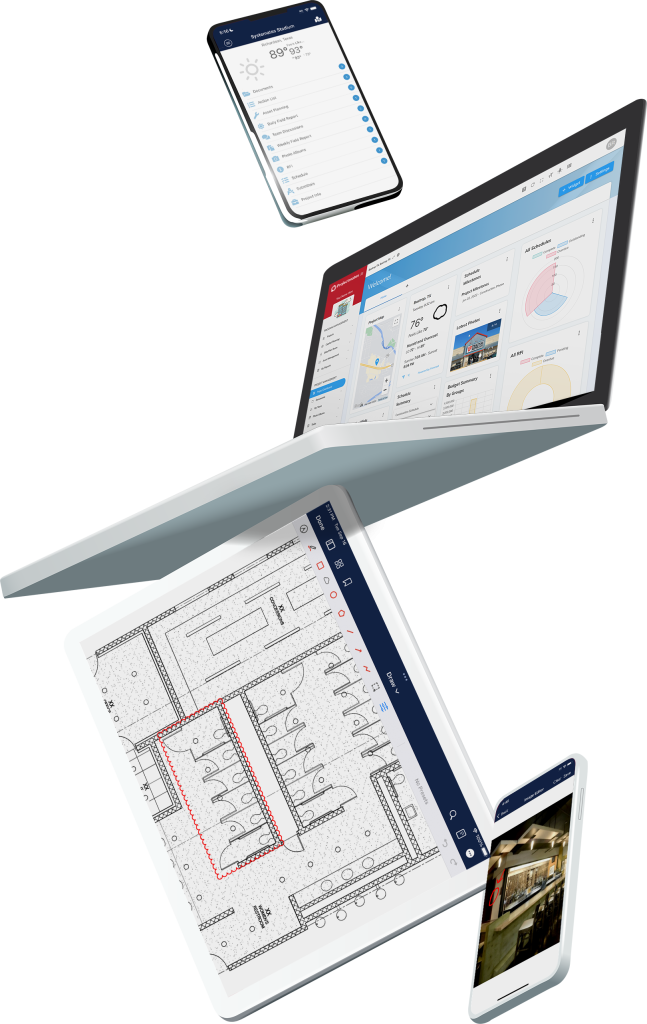
Reduce delays and cost overruns in your construction program by using the right software. Projectmates’ construction cost management and tracking software provides you with greater degrees of cost visibility, control, and collaboration with your teams.
Reduce delays and cost overruns in your construction program by using the right software. Projectmates’ construction cost management and tracking software provides you with greater degrees of cost visibility, control, and collaboration with your teams.
An enterprise construction management software should be capable of tracking any and all costs associated with your construction projects. These cost tracking features should not only extend to the construction phase but also the entire financial life cycle of a project—from site selection all the way to closeout.
Projectmates’ robust cost tracking features address all of these needs. Use the system to track your initial budget estimate and compare it against how much you’ve committed from contracts and purchase orders across all phases of the project.
Your contractors, architects, and vendors can collaborate with you in the system and enter their change orders and invoices directly through Projectmates. All of this is moderated by an electronic approval process that you have complete control over.
Centralize Budgets and Cost Controls
A Projectmates budget is the primary hub for tracking all costs related to your project. This includes hard costs from construction work, soft costs from professional services and surveys, and even FF&E costs as the project is being closed out and furnished. Want to keep your new construction and CapEx costs separate? Several budgets can be managed simultaneously in a single project.
Not only does the budget have fields for tracking your project’s budget estimate, but also any commitments, change orders, and invoices as well. Manual entry is kept to the utmost minimum; as your externals submit change orders and invoices through Projectmates, the corresponding budget fields will automatically upload to reflect these items.
For example, when your contractor submits a pay application, the Spend to Date column in your budget automatically updates to reflect their new invoice. When you award a contract, the Commitments column in your budget will update to reflect these committed values. It’s like having a live spreadsheet that never locks and never shows the dreaded REF# error.
Centralize Budgets and Cost Controls
A Projectmates budget is the primary hub for tracking all costs related to your project. This includes hard costs from construction work, soft costs from professional services and surveys, and even FF&E costs as the project is being closed out and furnished. Want to keep your new construction and CapEx costs separate? Several budgets can be managed simultaneously in a single project.
Not only does the budget have fields for tracking your project’s budget estimate, but also any commitments, change orders, and invoices as well. Manual entry is kept to the utmost minimum; as your externals submit change orders and invoices through Projectmates, the corresponding budget fields will automatically upload to reflect these items.
For example, when your contractor submits a pay application, the Spend to Date column in your budget automatically updates to reflect their new invoice. When you award a contract, the Commitments column in your budget will update to reflect these committed values. It’s like having a live spreadsheet that never locks and never shows the dreaded REF# error.
Streamline Contract Management
Electronic versions of your GC and professional services contracts can be easily created using the Projectmates contract management tool. Every bit of information can be tracked, such as retainage, scope of work, substantial completion date, and the entire schedule of values down to each line item. Contract line items can be designated as lump sum or unit price, depending on the type of work.
Whether you are handling hundreds of $100K contracts or a single $250M contract, Projectmates accommodates it all. With our integration with DocuSign, contracts can even be signed and sealed using a simple electronic signature process. No more emailing contract copies. Our software makes it easy to maintain compliance and streamline your office.
Manage Purchase Order Tracking Efficiently
Projectmates excels at managing the myriad purchase orders that could be associated with your projects. Track costs for not only construction work and professional services, but also the purchasing of televisions, beds, kitchen equipment, and more with line-item details. Projectmates POs are flexible and can detail not just the cost of materials but also shipping and taxes.
Simplify Change Order Workflows
Once a contract has been approved, its schedule of values has been locked down and can only be modified through change orders. Change orders can be created to request additional funds for line items and specify changes to the substantial completion date.
Projectmates’ change order management system thrives in a collaborative setting. Instead of submitting it on their behalf, your externals can access Projectmates and submit their own construction change order form for you to approve electronically.
Accountability is important when additional costs are on the table. Each change order must be prefaced with a reason code on why it is being submitted. Reasons include code compliance, changes to the design, drawing errors, a request from the owner, unforeseen site conditions, and more.
Simplify Change Order Workflows
Once a contract has been approved, its schedule of values has been locked down and can only be modified through change orders. Change orders can be created to request additional funds for line items and specify changes to the substantial completion date.
Projectmates’ change order management system thrives in a collaborative setting. Instead of submitting it on their behalf, your externals can access Projectmates and submit their own construction change order form for you to approve electronically.
Accountability is important when additional costs are on the table. Each change order must be prefaced with a reason code on why it is being submitted. Reasons include code compliance, changes to the design, drawing errors, a request from the owner, unforeseen site conditions, and more.
Construction Potential Change Order Management
PCOs are a common workflow requirement for many GC contracts. Your contractors can submit PCOs for your approval. PCOs that have been approved can then be rolled up into a change order to be billed against.
The best software to manage construction jobs from start to finish! Projectmates invoice workflow cut down at least 40% of my work."
Manage Contingencies and Allowances
Construction Contingency and Owner Betterment Allowances can also be managed within Projectmates. You can designate specific funds to contracts or as overall contingency for your entire project.
The Projectmates Change Order module also doubles as a tool to approve expenditure allowances. A change order can be created to approve the usage of funds from an allowance or contingency fund. Once approved, the external can bill for these approved funds in their next invoice or pay application. We provide you with the best tool for contingency and allowance tracking available.
Simplify Invoicing and Pay Applications
Projectmates features an easy,robust, and transparent tool for your externals to submit construction pay applications and invoicing against their contracts. Line items can be billed against by entering the actual amount or a percentage.
Security protocols are organically built into Projectmates billing to make it as straightforward as possible for both you and your externals. Pay periods must be specified to prevent double billing on the same pay period.
Each line item will display how much of its commitment has already been billed for and prevent any overbilling. Change orders can only be billed against once they have been completely approved by your designated approvers.
Your contractor can log into Projectmates each month to submit a standardized pay application against the line items you define. This simple, easy-to-use tool will guide them through the steps of specifying the pay app details, billing against their line items, attaching necessary files such as the lien release or affidavit of payments, and sending it in for approval by your team.
Simplify Invoicing and Pay Applications
Projectmates features an easy,robust, and transparent tool for your externals to submit construction pay applications and invoicing against their contracts. Line items can be billed against by entering the actual amount or a percentage.
Security protocols are organically built into Projectmates billing to make it as straightforward as possible for both you and your externals. Pay periods must be specified to prevent double billing on the same pay period.
Each line item will display how much of its commitment has already been billed for and prevent any overbilling. Change orders can only be billed against once they have been completely approved by your designated approvers.
Your contractor can log into Projectmates each month to submit a standardized pay application against the line items you define. This simple, easy-to-use tool will guide them through the steps of specifying the pay app details, billing against their line items, attaching necessary files such as the lien release or affidavit of payments, and sending it in for approval by your team.
Integrate Seamlessly with Your ERP System
Projectmates can integrate with any common ERP accounting systemthanks to our extensive APIs. The instant ERP accounting integration tool can facilitate a push of all invoice and pay application data required to cut the check in your accounting system. This gives you flexibility through real-time syncing of information across systems.
The structure of your Projectmates invoices can be customized to contain all of the fields necessary for successful integration. In addition to the invoice date and billed line items, this can include PO Number, GL Business Unit, Department ID, and more. Your accounting team will be astonished by how easy it is to retrieve data from the system.
Integrate Seamlessly with Your ERP System
Projectmates can integrate with any common ERP accounting systemthanks to our extensive APIs. The instant ERP accounting integration tool can facilitate a push of all invoice and pay application data required to cut the check in your accounting system. This gives you flexibility through real-time syncing of information across systems.
The structure of your Projectmates invoices can be customized to contain all of the fields necessary for successful integration. In addition to the invoice date and billed line items, this can include PO Number, GL Business Unit, Department ID, and more. Your accounting team will be astonished by how easy it is to retrieve data from the system.
Export and Customize Your Data
Every financial item in Projectmates can be exported into a customized format for real-time construction reporting. In addition to default exports for AIA G702 and G703 documents, the Projectmates team will work with you to create any tailored reporting that would benefit your team and make it easier to share with them.
Cost Tracking Done Your Way
Every organization has different needs and priorities when managing their projects’ financial life cycle. Projectmates’ cost tracking and forecasting features are designed to conform to your workflow processes and enhance them through standardization and automation. Your team is provided with the budget tracking tools they need to expedite payments, easily track costs, and ensure that projects stay under budget.
Take Control of Construction Costs
Projectmatesdelivers true ROI and greater confidence in your construction cost tracking capabilities. To learn more about everything our construction costmanagement software can do for you, reach out and speak with a member of our team today to start your demo.