Mark Up, Comment, and Link to RFIs, DFRs, or Change Orders
Maintain a Robust Audit Trail
Handle Hundreds of Drawings Effortlessly
Use AI to Extract Critical Drawing Details
Mark Up, Comment, and Link to RFIs, DFRs, or Change Orders
Maintain a Robust Audit Trail
Handle Hundreds of Drawings Effortlessly
A Smarter Drawings Tool for More Connected Construction Programs
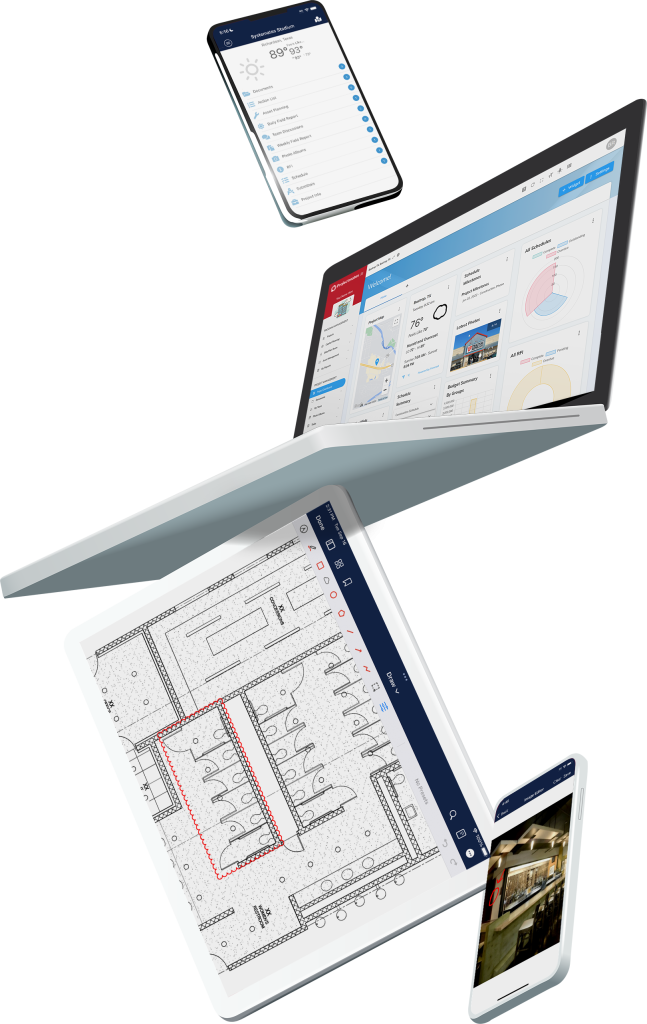
Projectmates’ Drawings tool seamlessly connects with other areas of the Projectmates platform, creating a unified environment for construction project management. Artificial intelligence reduces manual data entry for faster drawing management and interconnected tools empower your team to link to RFIs, daily field reports, and change orders directly from any drawing. This is all on top of the robust markup capabilities that have made our online document editor a hit. Whether you’re in the field or the office, the Drawings tool enhances accuracy, reduces rework, and keeps projects moving forward smoothly.
Automate time-wasting manual data entry
New artificial intelligence tools drastically cut down on manual data entry. Automatically extract essential details for every drawing. This not only saves you time but also allows you to focus on higher-value tasks, improving your overall productivity. You maintain full control to review and validate extracted information before committing it to the system.
Seamless Connectivity
Keep every team member on the same page with a solution that ensures the latest drawings and revisions are always available. No more outdated plans or costly errors—just streamlined access to what matters most. Mark up drawings, add comments, and link drawings directly to RFIs, daily field reports, or change orders, making it easier than ever to track issues and maintain accountability.
Revision Tracking Made Easy
Unlike traditional systems that bury past revisions, the Drawings tool highlights current and historical versions, offering full transparency for stakeholders. Legacy drawing comparison processes often cause missed changes that lead to rework, delays, and budget overruns. The Drawings tool makes sure you can compare every movement on every project, big or small.
Key Features of the Drawing Tool
Centralized access to all project drawings, seamlessly connected within Projectmates workflows
Instantly access the latest drawing revisions with full version history and comparison tools
Upload drawings with drag-and-drop simplicity or manual input options
AI-assisted extraction of critical drawing details, minimizing manual data entry and reducing errors
Real-time markups, annotations, and measurement tools for better teamwork
Add links to RFIs, daily field reports, or change orders directly from drawings
Intuitive filtering and search tools for quick access to critical information
Secure, role-specific permissions to keep your team aligned and efficient
Projectmates Reviews:
“The ‘My Reports’ module is a customizable reporting tool that is the perfect way to keep the management team informed of executive level reports on a weekly basis. Projectmates has exceeded the expectations of my clients on this and numerous projects over the years.”
James C.
CEO, DPPM Project Management
See it in action
Subscribe to our newsletter
Try Projectmates Free and See the Difference
Get hands-on access to dashboards, workflows, and reporting—exactly what your team will use day to day.