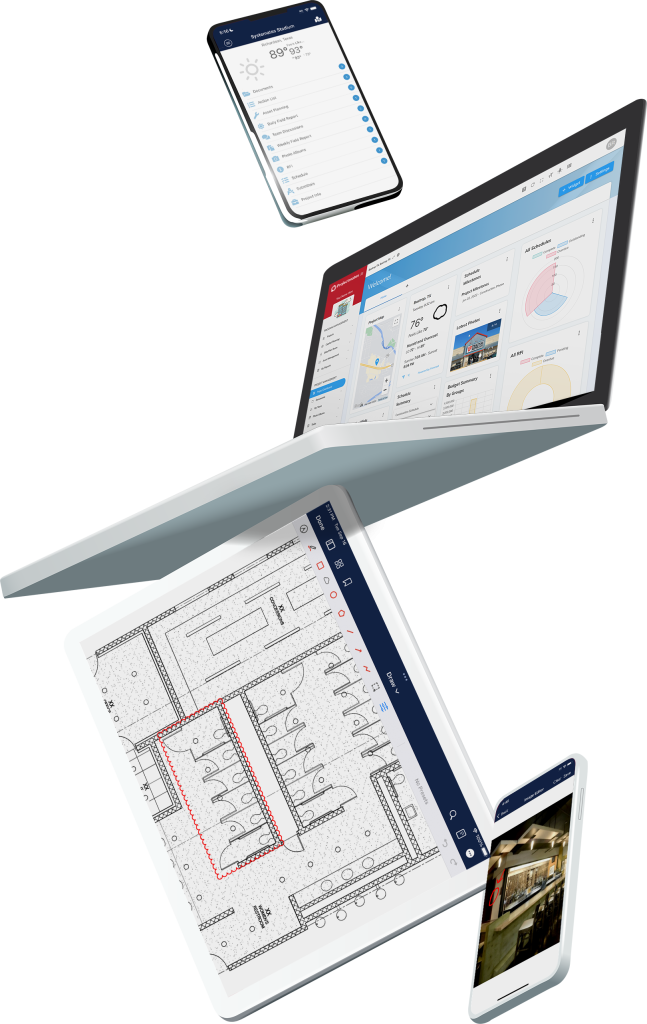
The best construction management software for project Owners puts your contractors, design team, finance staff, and leadership in the same system, working from the same budget, schedule, and document set. An Owner-built PMIS like Projectmates is the strongest choice for Owner collaboration because it’s designed around how Owners run capital programs, so every stakeholder connects to a single source of truth instead of a chain of emails and exports.
Collaboration problems rarely show up as a software issue at first. They show up as a change order nobody approved in time, a board report built by hand the night before, or a contractor working from last month’s drawings. This guide starts with where those breakdowns happen, then compares the six types of software Owners use to manage construction and how well each one closes the gaps.

Where Does Owner Collaboration Break Down?
Owners sit in the middle of every capital project. You answer to leadership and finance on one side and coordinate architects, engineers, and contractors on the other. Collaboration breaks at the handoffs between those groups, and each break has a cost.
Contractors work from outdated information. When RFIs, submittals, and drawings move through email, versions multiply. A contractor building from a superseded drawing turns a document problem into rework. Look for centralized document management with approval workflows that keep everyone on the current version.
Change orders stall in approval chains. Every day a change order waits for a signature is a day of schedule risk. Look for configurable approval routing that matches your organization’s sign-off rules, with automatic alerts when an item is waiting on someone.
Finance and leadership get numbers late. When budget data lives in spreadsheets, reporting to a board or finance team means rebuilding the picture by hand. Look for real-time tracking of estimated, committed, and actual costs, plus pre-built reports leadership can read without a translator.
The field and the office drift apart. Daily reports, photos, and punch items captured on paper or phones don’t reach the project record until someone uploads them. Look for mobile access that works offline, so field data lands in the system the moment it’s captured.
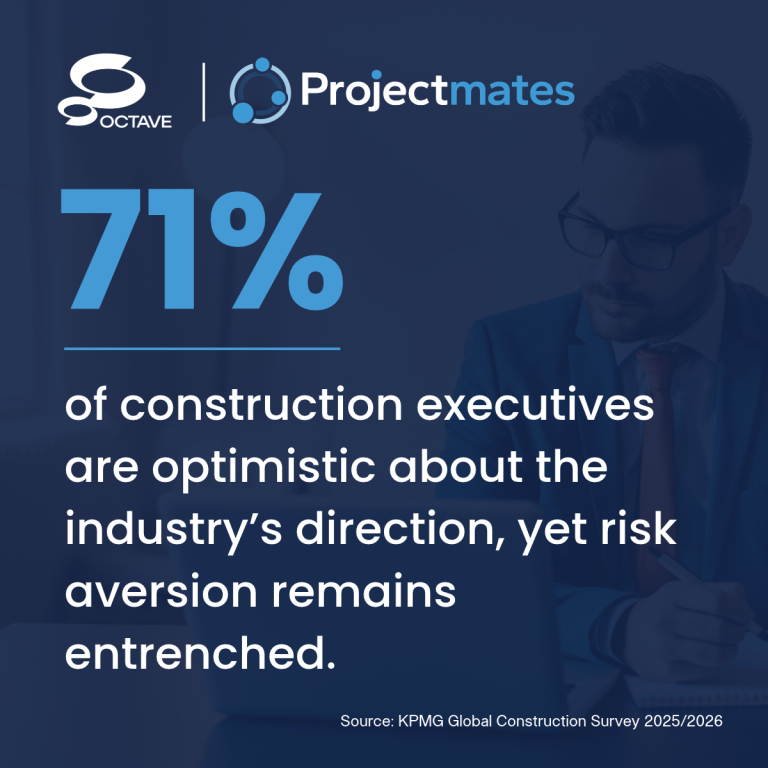
Uncertainty raises the stakes on all four. According to KPMG’s Global Construction Survey 2025/2026, industry optimism is up while risk appetite is down. Owners who can spot a cost or schedule problem early, and get the right people on it fast, carry less of that risk.
Quick Guide: 6 Types of Construction Software for Owner Collaboration
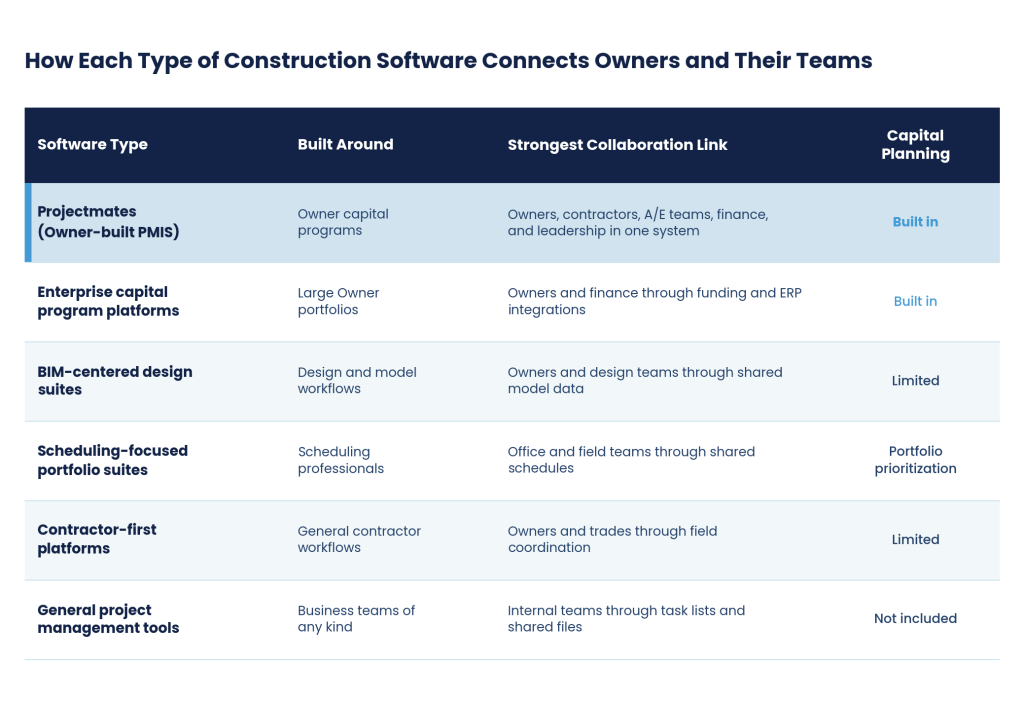
- Projectmates (Owner-built PMIS): The best overall option for Owners who need contractors, design teams, finance, and leadership working from one system
- Enterprise capital program platforms: Connect capital planning and funding data to finance and ERP systems for large portfolios
- BIM-centered design suites: Connect Owners and design teams through shared model data
- Scheduling-focused portfolio suites: Connect office and field teams through shared scheduling and risk data
- Contractor-first construction platforms: Coordinate Owners and trades through field-oriented tools
- General project management tools: Organize internal tasks and files for smaller teams
1. Projectmates: Best Overall for Owner-Led Collaboration
Projectmates is a cloud-based construction program management platform purpose-built for capital project Owners. Since 2000, it has served government agencies, school districts, universities, healthcare systems, and retail developers, supporting more than 100,000 projects and 55,000 users. Because the platform is Owner-first, every collaborator plugs into your program on your terms, with role-based permissions that control what each party can see and approve.
How Projectmates Handles Collaboration
With contractors: Contractors submit bids through a centralized plan room for bid management, then manage documents and update field reports in the same system you use. RFIs, submittals, change orders, and punch lists move through workflow management with configurable approval chains, so nothing sits in an inbox.
With architects and engineers: Document management stores every revision, markup, and download across 71 file types, keeping design and construction teams on the same version at all times.
With finance and leadership: Cost tracking follows estimated, committed, anticipated, and actual costs against your work breakdown structure and red-flags commitments that exceed budget. Capital planning links funding sources to individual projects, and 100+ pre-built reports through analytics and reporting give boards and finance teams decision-ready numbers.
With the field: The mobile app supports offline access, so daily reports, photos, and field items sync to the project record even where connectivity is limited.
Projectmates is SOC 2 Type II certified with annual audits, and an in-house implementation team configures workflows around your processes. Clients report 73% faster project scheduling and an 87% decrease in bid processing time.
2. Enterprise Capital Program Platforms: Best for Connecting Projects to Finance Systems
Enterprise capital program platforms are Owner-side systems built for large, multi-year portfolios. They typically combine capital planning, funding allocation, cost management, and portfolio dashboards, with integration options that connect construction data to ERP, financial, and procurement systems.
How Enterprise Capital Program Platforms Handle Collaboration
Their strongest link is between project teams and finance. Funding allocation tools show how capital dollars flow to individual projects, and shared dashboards give internal teams and external partners one program view of cost, schedule, and status. Workflows can often vary by project type, region, or delivery partner, which suits programs with many teams in motion.
Best fit: Large agencies and institutions whose finance and procurement systems need a direct line to construction data.
Questions to ask:
- How much of the configuration can your team handle without outside services?
- How long does a typical rollout take for a program your size?
- Does field access work offline?
3. BIM-Centered Design Suites: Best for Owner and Design Team Coordination
BIM-centered suites grew out of design software and extend model data into construction. They connect 3D models to project documents, RFIs, and issue tracking, carrying information from design through construction and into handover.
How BIM-Centered Design Suites Handle Collaboration
These platforms are strongest between Owners and their architects and engineers. Teams can reference models alongside RFIs and submittals, keep correspondence in one log, and import schedules from common scheduling tools. For Owners with BIM requirements, that continuity from design to field is the main draw.
Best fit: Owners with model-heavy projects and design teams that already work in the same design ecosystem.
Questions to ask:
- Does the platform support multi-year capital planning and funding tracking, or only project delivery?
- Will your contractors and internal finance staff use it, or only the design team?
- Which features require separate subscriptions?
4. Scheduling-Focused Portfolio Suites: Best for Office and Field Schedule Coordination
Scheduling-focused suites center on critical path scheduling, resource management, and risk analysis across project portfolios. They serve Owners whose programs carry complex scheduling dependencies and resource constraints.
How Scheduling-Focused Portfolio Suites Handle Collaboration
Their collaboration strength is shared planning data. Office and field teams work from the same schedules, with resource leveling and what-if scenario analysis across program timelines. For leadership, portfolio tools support project selection and prioritization, and risk simulation models schedule and cost uncertainty.
Best fit: Owners running large infrastructure programs with dedicated scheduling staff.
Questions to ask:
- Are document management, RFIs, and submittals included, or do they require additional products?
- Can non-scheduling staff, like finance and facilities, use it comfortably?
- How does it connect to your budget and cost data?
5. Contractor-First Construction Platforms: Best for Owner and Trade Coordination in the Field
Contractor-first platforms were built for general contractors and subcontractors, then extended to Owners. They typically offer project management, cost management, and field coordination tools, often with a large marketplace of third-party integrations.
How Contractor-First Platforms Handle Collaboration
Their strongest link is with the trades. Field tools connect onsite teams to project records, and invoice and change order tools centralize approvals with an audit trail. When your general contractor already uses one, sharing a platform can simplify coordination on that project.
Best fit: Owners with a small number of projects who want to work inside the system their contractor already uses.
Questions to ask:
- Is the platform structured around your program, or around each contractor’s project?
- Are Owner-specific cost and capital planning tools native, or sold as separate modules?
- What happens to your project records when the contractor relationship ends?
6. General Project Management Tools: Best for Small Internal Teams
General project management and collaboration tools organize tasks, timelines, and shared files for teams of any kind. They’re quick to set up and familiar to internal staff, which makes them a common starting point for Owners moving off spreadsheets.
How General Project Management Tools Handle Collaboration
These tools work well for coordinating internal teams around tasks and deadlines. Shared boards and file storage keep everyone working from the same list, and setup takes days rather than months.
Best fit: Small Owner teams managing a handful of simple projects with limited contractor involvement.
Questions to ask:
- Can it track committed and actual costs against a construction budget?
- Does it support construction workflows like RFIs, submittals, and change orders?
- Will it hold up as an audit trail for public funds?
Comparison Table: How Each Type of Construction Software Connects Owners and Their Teams
Which Type of Construction Software Fits Your Program?
Start with the collaboration gap that costs you the most, then match it to the software type built to close it:
- If finance and leadership need decision-ready numbers across a portfolio, look at an Owner-built PMIS or an enterprise capital program platform.
- If your biggest coordination challenge is with design teams on model-heavy projects, a BIM-centered suite may fit that piece of the work.
- If schedule risk across a large infrastructure program is the priority, a scheduling-focused suite covers that depth.
- If you need contractors, designers, finance, and the field connected in one system you control, an Owner-built PMIS like Projectmates is the most complete fit.
How Does Cloud-Based Construction Software Improve Owner Collaboration?
Cloud-based platforms give every stakeholder, from architects and engineers to finance teams and board members, access to the same project data at the same time. That eliminates version conflicts, cuts email delays, and creates a reliable audit trail for every decision.
For Owners managing multi-site or multi-phase programs, cloud access means you can review project schedules, approve change orders, and check budget status from anywhere. Role-based permissions keep it controlled: external contractors and consultants see the project information they need without exposing sensitive financial or contractual details.
Why Projectmates Is the Best Construction Software for Owner Collaboration
Projectmates was designed from day one to serve the construction Owner, not adapted after the fact from a contractor or design platform. That means collaboration runs on your terms. Contractors, design teams, finance, and leadership each work in the same system, with the permissions and approval chains your organization sets.
With over two decades of client co-development, Projectmates delivers features that exist because Owners asked for them. Organizations managing billions of dollars in capital construction trust the platform, from K-12 school districts and state agencies to healthcare systems and national retail chains, backed by SOC 2 Type II certification with annual audits.
FAQs About Construction Software for Owner Collaboration
Owners typically use one of six types: Owner-built PMIS platforms, enterprise capital program platforms, BIM-centered design suites, scheduling-focused portfolio suites, contractor-first construction platforms, or general project management tools. Projectmates is an Owner-built PMIS that connects contractors, design teams, finance, and leadership in one system.
A PMIS, or Project Management Information System, is a centralized software platform that Owners use to manage budgets, schedules, documents, and workflows across their construction programs. Projectmates is a cloud-based PMIS built specifically for capital project Owners, connecting every project phase from planning through closeout in one system.
Sharing a contractor’s platform can simplify coordination on a single project, but your records live in a system structured around their work. An Owner-built PMIS like Projectmates keeps the program record under your control, with role-based permissions that let contractors submit bids, manage documents, and update field reports inside it.
Construction management software tracks estimated, committed, and actual costs in real time, linking financial data directly to contracts, change orders, and invoices. Projectmates flags commitments that exceed your budget and provides live forecasts, so you make financial decisions on current data rather than outdated spreadsheets.
SOC 2 Type II certification is the most widely recognized standard for data security in cloud-based construction software. Projectmates holds SOC 2 Type II certification and undergoes annual audits, so your project data, financial records, and stakeholder communications stay protected.
Implementation timelines vary by platform complexity and organizational size. Projectmates includes a dedicated in-house implementation team that guides your staff through setup, configuration, and training, so your organization can adopt the platform faster and manage projects with confidence from the start.