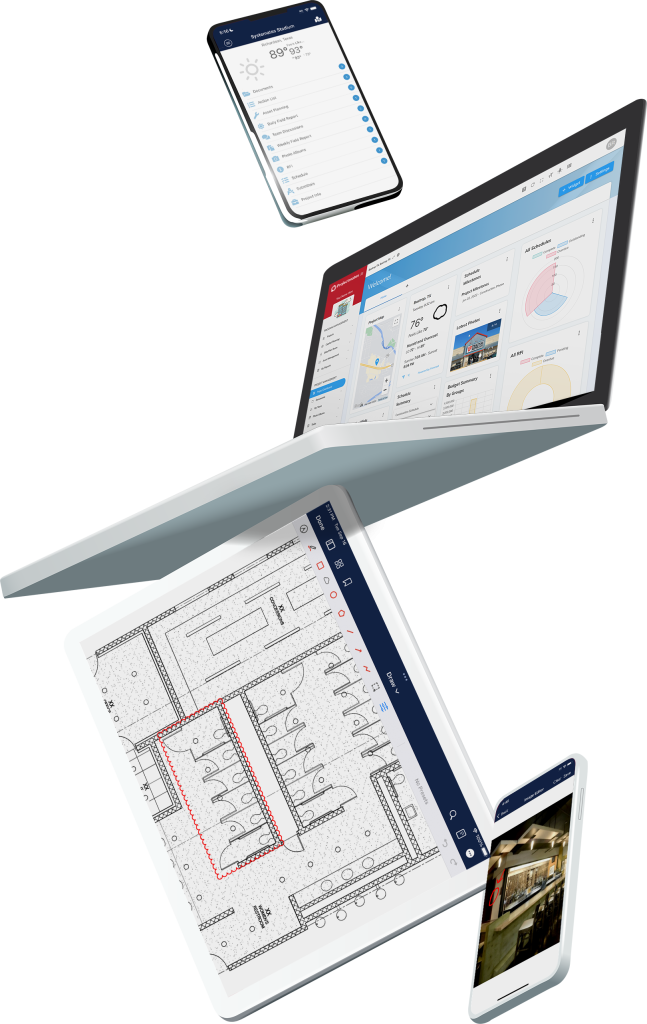
Construction Analytics Dashboard for Real-Time Insights
Gain greater visibility into key metrics to identify trends, mitigate risks, and optimize forecasting—keeping projects on schedule and within budget. Projectmates’ dashboard centralizes all the real-time data construction teams need to enhance forecasting, speed, and accuracy.
Construction Analytics Dashboard for Real-Time Insights
Gain greater visibility into key metrics to identify trends, mitigate risks, and optimize forecasting—keeping projects on schedule and within budget. Projectmates’ dashboard centralizes all the real-time data construction teams need to enhance forecasting, speed, and accuracy.
Centralized Reporting for Faster Project Decisions
In a data-driven world, you need on-demand access to important metrics. Projectmates’ construction reporting software provides you with 100+ ready-made reports right out of the box, plus an ad-hoc tool for you to easily build the report you need when you need it.Our construction data reporting tools provide your teams with decision-ready insights to enhance:
• Speed: Make decisions faster with real-time project insights.
• Access: We put all the data you need right at your fingertips.
• Flexibility: Customize your dashboard to display only the most helpful data for you.
Build Custom Dashboards for Real-Time Oversight
Effective management demands accurate, real-time information. Projectmates’ construction dashboards give your team the tools to track progress, manage bidding, and make better-informed decisions. Create custom dashboards that will give you the crucial constructionKPI tracking analytics you need in one glance and in real-time. All mission-critical information for your whole program can be displayed in one dashboard — better insight for better project management and more-accurateconstruction data analytics.
Forecasting and Performance Analysis
The practical applications of Projectmates’ capital project reporting tools can transform your construction program. Track budgets, monitor scheduling, compare actual costs versus anticipated costs, and view project expenses by department. You can even drill down to pinpoint the causes of change orders. Use this data to recognize trends and forecast how your future projects may perform.You’ll be able to improve your operation’s long-term planning and mitigate your financial exposure.
Flexible Ad-Hoc Reporting Tools
Projectmates’ ad-hoc reports provide unprecedented control over project data and are incredibly easy to use. These automated construction reports feature drag-and-drop functionality, making it simple to design the exact report you need — without needing to learn code. This makes it possible for even non-technical users to create budget summaries, track vendor metrics, generate department-level reports, and more.Group and summarize your data with document management, provide advanced filter logic for even better control of what you want in your reports, and even automate the delivery of reports to project stakeholders.
Enterprise Reporting Features Included
Projectmates’ construction reporting feature provides 100+ enterprise reports based on SQL Server Reporting Services (SSRS) right out of the box. These pre-built reports capture vital information such as project status, total project cost, and change orders to date. The reports are also configurable so you can hone in and extract data from any area of your construction projects. You can even schedule delivery of these reports to your email or to your favorite cloud storage providers such as OneDrive, Dropbox, or Box.com. This is the powerful portfolio-level analytics solution construction executives and multi-project owners need to keep everyone in the loop.
Key Reporting and Dashboard Capabilities
Analytics
Delivery
Access items from reports
Report on project attributes
Schedule summaries
Budget roll-ups
Construction risk management
Up-to-the-minute accuracy
Change dates from reports
Quickly identify at-risk projects
Improved forecasting
View vender summaries
100+ ready-made reports
Custom report builder
Reporting automation
Drag and drop columns to create reports
Delivery
Create and view your own custom dashboard
Report on single project or an entire program
Automate delivery to email, Dropbox, Box.com, and more
Construction KPI tracking
Exports
Export to a variety of formats including Excel and PDF
Projectmates Reviews:
“The ‘My Reports’ module is a customizable reporting tool that is the perfect way to keep the management team informed of executive level reports on a weekly basis. Projectmates has exceeded the expectations of my clients on this and numerous projects over the years.”